Before you begin
- You must have the Administrator or Salesperson role, or an account on the MeasureTool plan.
- The quote must already exist and must not have the Draft status. A quote with the Draft status opens in edit mode and has no Document tab. You can't download it as a PDF, either from its page or from the list.
Steps
- In the menu, click Quotes.
- In the list, click the quote you want to open its page.
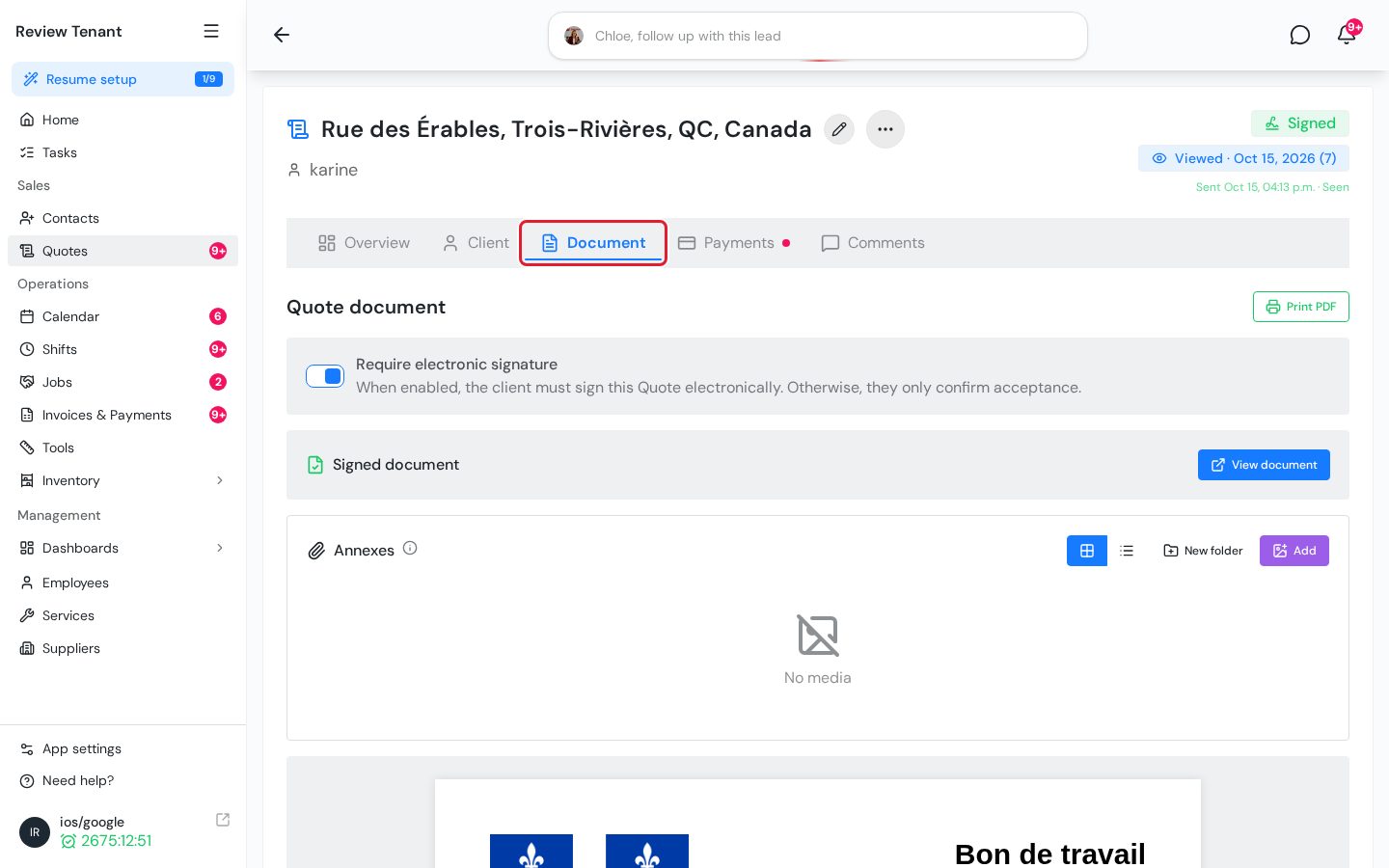
- At the top of the page, click the Document tab.
- To the right of Quote document, click Print PDF. The button shows Generating... while the file is being created.
- Once the PDF is generated, your browser downloads it. Open the file to view it or print it from your PDF reader.
Important: If the document is too large, the PDF isn't downloaded. Instead, you see the warning “Document is too large to download” with the document's size in MB.
From the quote list
You can also download a quote without opening its page:
- In the Quotes list, click the three-dot icon (⋮) at the end of the quote's row.
- Click Download.
- In the Confirm download window, click Download.
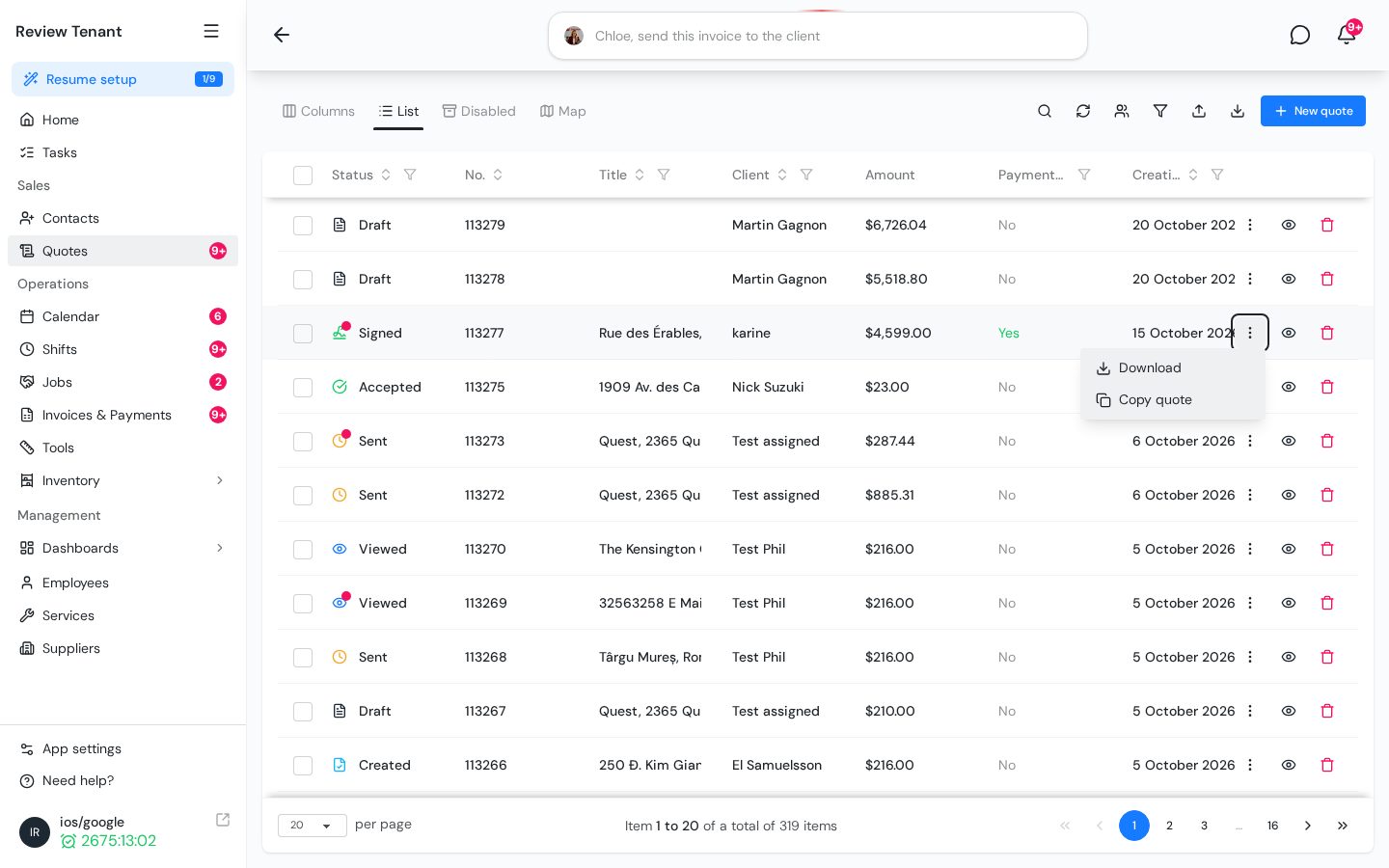
With the MeasureTool plan, on a large screen, the download icon appears directly on the row instead of in the three-dot menu.
What's next
To download several quotes at once, click the download icon at the top of the list. Then choose a date range in the Download Quotes window and click Download. Drafts aren't included. Invoices also have a Print PDF button on their page.