Painting Contractor Software
Solutions for painting companies
PlanOps simplifies the management of your residential and commercial painting business.
Painting contractors juggle interior jobs in the off-season and exterior work when the weather finally cooperates. Clients want a price quickly, often before they have even picked colors, and the difference between a profitable job and a losing one usually comes down to accurate surface and labor estimates.
PlanOps helps you measure, quote, schedule your crews and track actual time on every job, so each season's numbers make your next quotes sharper.
Challenges painting contractors face
Estimating surfaces accurately
Walls, ceilings, trim and siding: a mistake of a few dozen square feet ripples through paint quantities, labor hours and margin.
A short exterior season
Exterior contracts are packed into a few months. You need to respond fast and fill the calendar early.
Knowing whether a job made money
Without comparing actual hours to quoted hours, it's hard to adjust your pricing from one season to the next.
Keeping track of colors and products
Color codes, sheens and quantities need to be recorded for future touch-ups and to avoid mix-ups between crews.
PlanOps tools built for your business
Surface Calculation
Accurately estimate surfaces to paint and automatically calculate the quantities of paint needed.
Color Management
Keep a history of colors used at each client's location for future touch-ups.
Project Planning
Plan your projects taking into account drying times and constraints of each job site.
Professional Quotes
Create detailed quotes that impress your clients and increase your conversion rate.
Review Management
Collect reviews from satisfied customers and improve your online reputation.
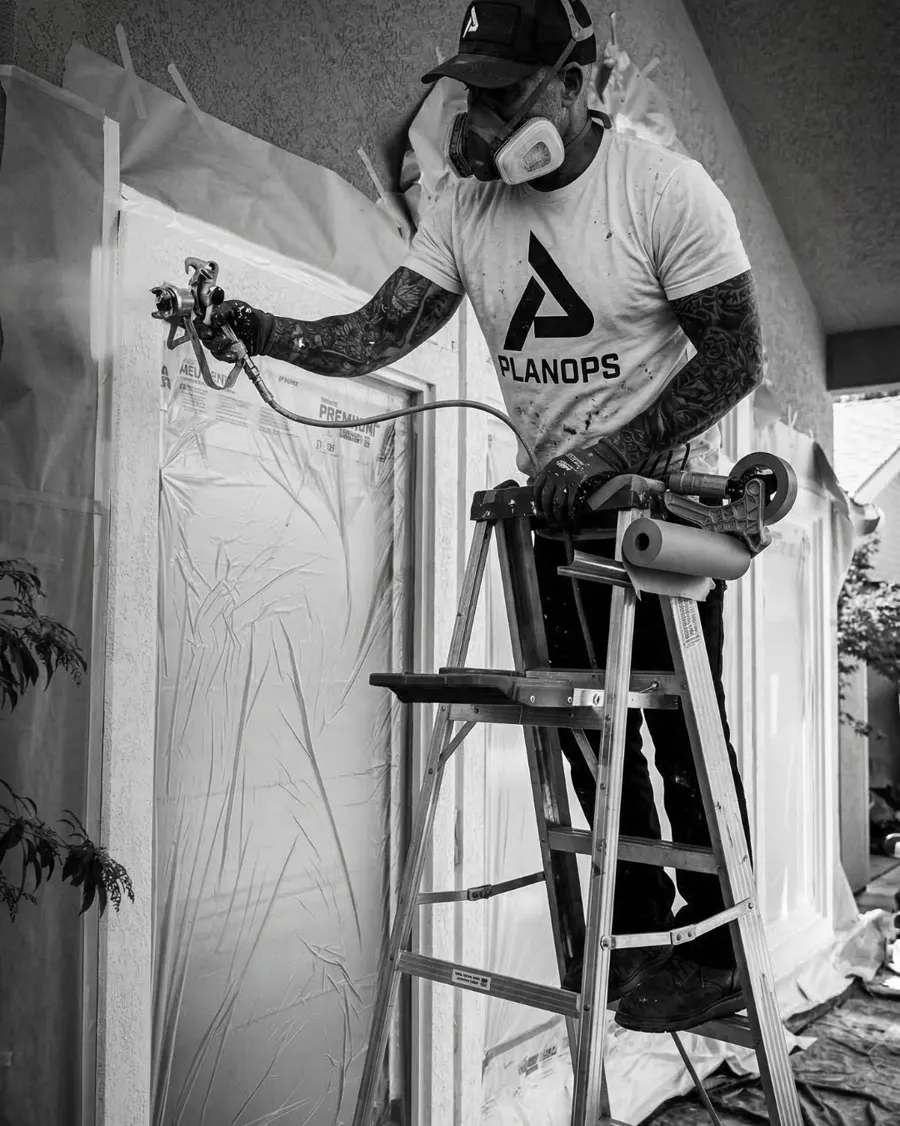
Built for every type of job
PlanOps fits every kind of painting contract: residential interiors, wood or fiber cement siding, deck and fence staining, kitchen cabinet refinishing, commercial work and rental turnovers between tenants. You keep one client database for all your work and easily find past projects when a client calls back a few years later.
How it works with PlanOps
- 1
Capture the request
The client is created in the CRM with the address, rooms or elevations to paint and their photos.
- 2
Measure and quote
Use remote measurement to size up exteriors, or enter rooms for interiors. The quote details prep, coats and products.
- 3
Schedule crews
The accepted quote becomes a project on the calendar with the crew and dates assigned.
- 4
Track the job
Painters clock in from the mobile app, note the colors used and take before and after photos.
- 5
Invoice and ask for a review
The invoice syncs with QuickBooks and the client gets a Google review request after the final coat.
Frequently asked questions
Can I estimate an exterior paint job remotely?
Largely, yes. The remote measurement tool lets you measure a building's lengths and heights to estimate wall area. Siding condition and prep work can then be confirmed with client photos or a short visit.
How do I compare actual hours to estimated hours?
Your painters clock in on each project. You can then compare real time against the time in the quote and adjust your rates for future jobs.
Can I keep each client's color codes?
Yes. Project notes and photos stay on the client record. When they call back for a touch-up or another room, you immediately find the products used.
Can I build a quote room by room?
Yes. You can structure your quote by room or by surface (walls, ceilings, trim) so the client clearly sees what's included and can add or remove items.
Ready to simplify your operations?
Quotes, scheduling, time tracking and invoicing in one app built for contractors.
All-in-one management software for contractors, built in Mascouche, Quebec.
Gestion Planifix inc.
3235 avenue de la Gare,
Mascouche, Québec, J7K 3C1
(450) 300-7077
[email protected]
Resources