

Everybody is talking about artificial intelligence. But for a contractor who spends the day on job sites, the real question is simple: what can it actually do for my business? We hear it more and more in demos. One contractor told us straight out:
"I want to bring artificial intelligence into my company."
He is not alone, but construction is starting from behind. Statistics Canada found that 19.2% of businesses were using AI in the second quarter of 2026, compared with 9.2% in construction. Contractors who start now get a head start.
Here are 7 practical ways to use AI in a construction business, where to start, and the traps to avoid.
Two kinds of AI to know
General AI tools, like ChatGPT. You ask a question or request some text, and they answer. They are great at writing, summarizing, translating and brainstorming. But they don't know your customers, your prices or your schedule.
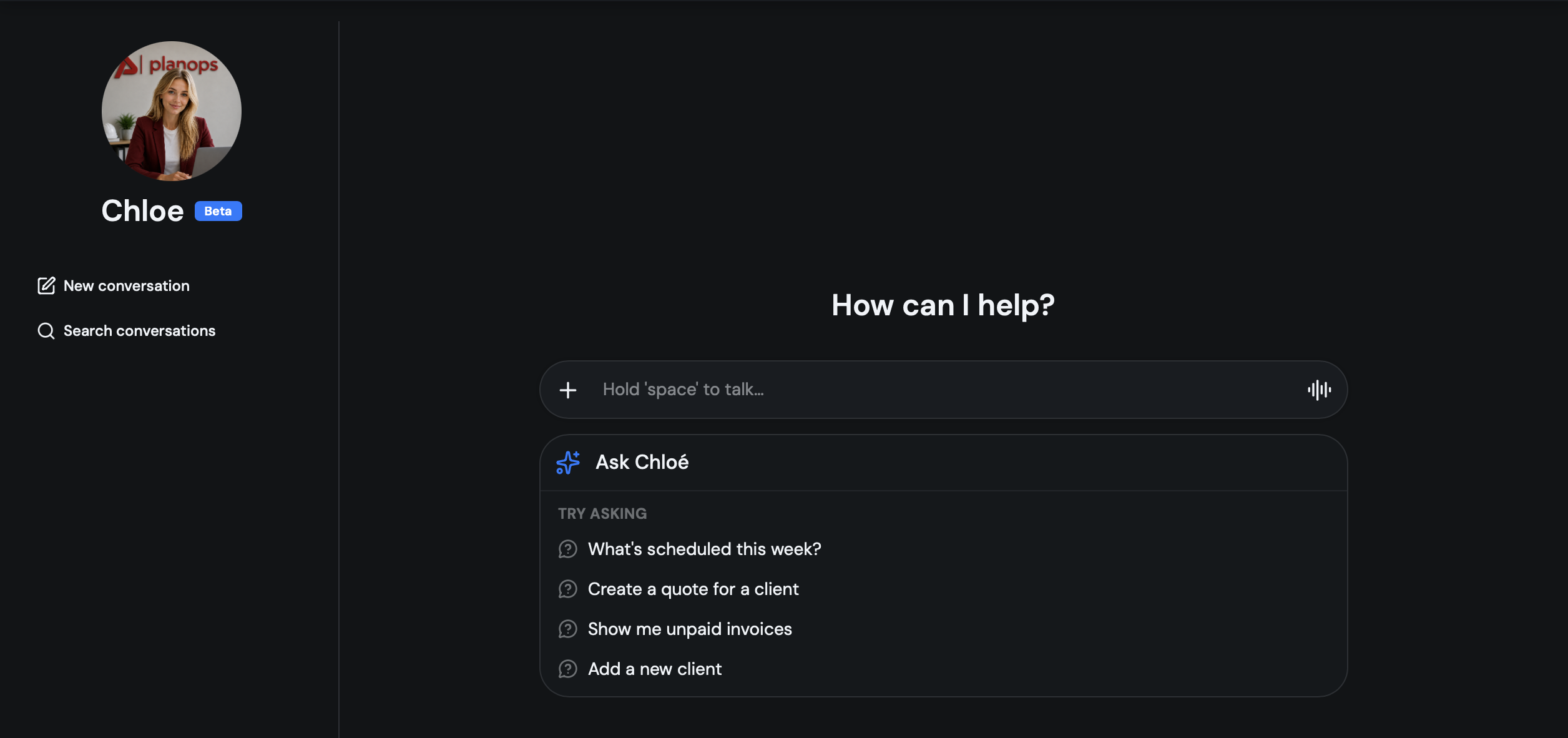
AI built into your software, like Chloé in PlanOps. It works with your own data: it can add a lead, build an estimate or send an invoice. We cover it in detail in our article on Chloé, the AI assistant for contractors.
Both are useful, for different jobs.
7 ways to use AI in your construction business
1. Write faster (and better)
Customer emails, service descriptions, estimate terms, a reply to an unhappy customer: AI gives you a first draft in seconds. You adjust it with your own words and details. For example:
"Write a polite email telling a customer their paving job is pushed back three days because of rain, and offer two new dates."
Same goes for your Google review replies. Just watch out for replies that sound generic: we explain why in our article How to respond to Google reviews.
2. Show the result before the work starts
Here is a trick we picked up from an exterior painting contractor. He takes a photo of the customer's house and asks a general AI tool, like ChatGPT, to show the soffits in black or the garage door in a new color. Then he attaches that image to his estimate. The homeowner no longer sees just a price, they see their house after the job. Just let the customer know it is a simulation.

3. Build estimates faster
With an assistant built into your software like Chloé, you can dictate your estimate as you walk around the customer's property: the service, the quantities, the price if it differs from your list. The draft is ready before you leave. All that is left is to review and send it. Combined with remote measuring, some estimates don't even require a site visit.
4. Cut the paperwork
Entering material receipts, creating invoices, following up on unanswered estimates and unpaid invoices, reminding customers of appointments: these are repetitive tasks that AI built into your tools can handle. Fewer evenings at the computer, more time on jobs and at home.
5. Do your marketing
A Facebook post idea to show off a finished job, copy for a service page on your website, a list of questions customers often ask: AI is a good brainstorming partner. Always add your real photos and real examples. That is what sets you apart and what helps your visibility on Google Maps.
6. Translate and communicate
A Spanish-speaking crew member, a customer who prefers another language, a supplier spec sheet: AI translates in seconds. Still, double-check important documents, like a contract, before you send them.
7. Understand your numbers
Data analysis is actually the most common use of AI among Canadian businesses that use it, according to Statistics Canada (36.6%). For a contractor, that means asking simple questions: which types of jobs are most profitable, which customers pay late, how many hours went into a given job.
Where to start
In an article from BDC, Canada's business development bank, AI consultant Hugues Mailhot of Explorai recommends starting with your processes, not the tool. By his estimate, AI can cut the time spent on estimating by 20% to 40%. But you have to start on the right foot. Here is a simple approach inspired by his advice.
1. List what is still done by hand. Take a normal week and write down everything you or your team retypes, copies over or does from memory: estimates, timesheets, invoices, follow-ups, schedules. That is where AI can save you time.
2. Clean up your data. AI can't work miracles with outdated price lists or a spreadsheet full of errors. Before you automate, tidy up your prices, services and customer list.
3. Start small. Pick one simple, repetitive task and try AI on it for two weeks. AI is a means, not an end: aim for a concrete win, like sending estimates the same day.
4. Bring your team in early. The people who will use the tool, in the office and in the field, should try it early. They know where time gets lost, and they are the ones who will make the habit stick.
5. Keep what works. When a request gets a good result, save it as a template. Then add a second task, and a third.
Traps to avoid
Believing everything AI says. A tool like ChatGPT can be wrong with total confidence. Never rely on it for a price, a building code requirement, a safety rule or a tax rule without checking the source.
Sharing personal information. Avoid pasting your customers' names, addresses and contact details into a public AI tool. Privacy laws vary by state, and your customers trust you with that information.
Losing your voice. Customers choose you for you. AI text sent as is, without your expressions and details, sounds fake. Use AI for the first draft, not the final word.
Changing everything at once. One task at a time. That is how new habits stick.
AI already built into your tools with PlanOps
For most contractors, the easiest way to start is with an AI that already knows their business. In PlanOps, Chloé has access to your customers, prices, estimates and schedule. You talk to her by typing or out loud, and she handles the tasks: adding a lead, building an estimate, sending an invoice, following up with a customer.
More than 370 businesses use PlanOps. During onboarding, our team sets up your account with your services and prices, so Chloé is useful from day one.
Frequently asked questions
Can ChatGPT write my estimates?
It can help with a description or your terms, but it doesn't know your prices or your customers. An assistant built into your management software, like Chloé, can build the estimate from your own price lists.
Is AI expensive?
Many general AI tools have a free version. Built-in assistants are often included in your management software. The real cost is the time to try it, and it pays back fast.
Is it safe to use AI with my customers' data?
Avoid entering personal information into public tools. With management software, your data stays in your account. Either way, follow the privacy rules that apply in your state.