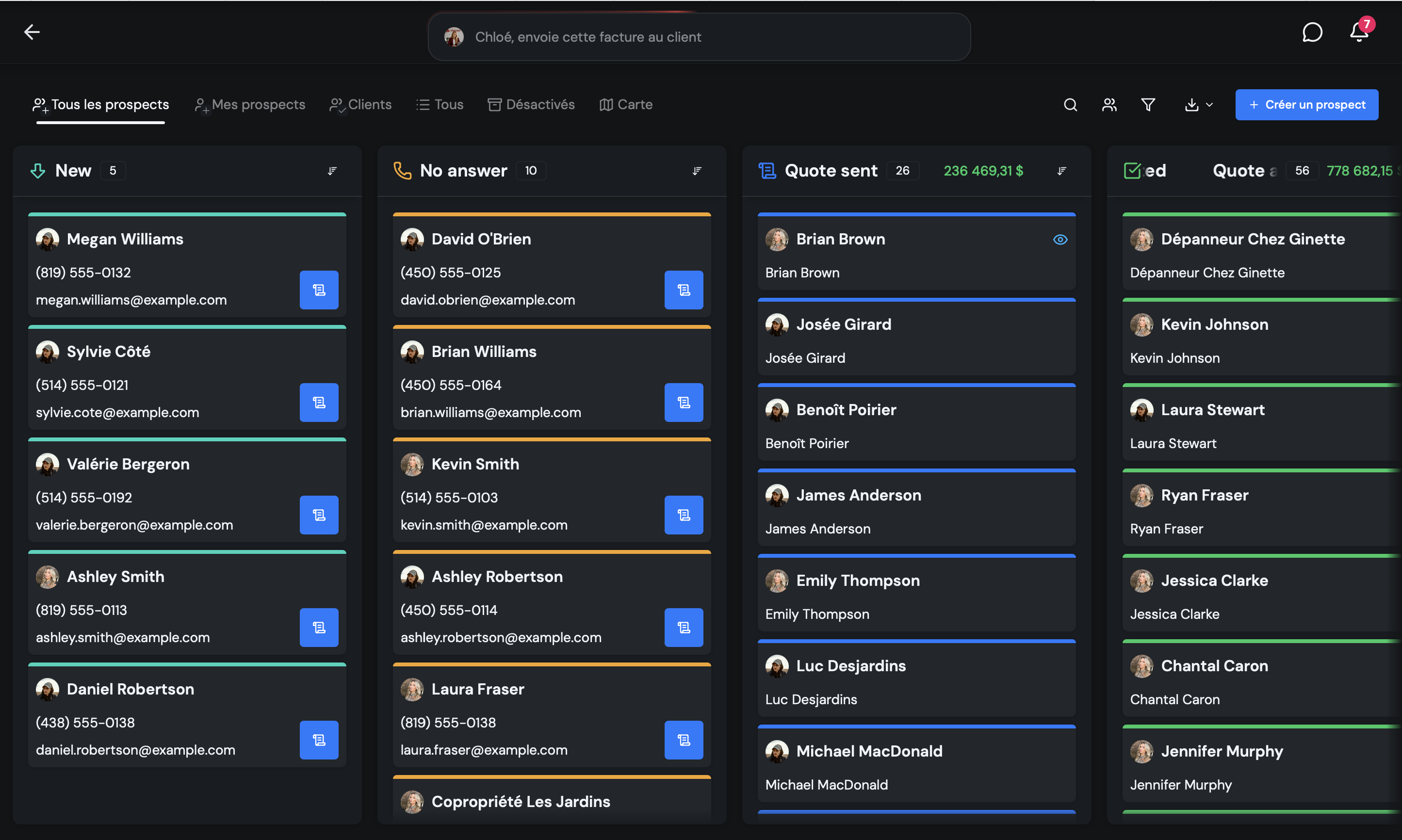
An estimate request comes in by text Monday morning. Another one through Facebook. A third by phone while you are on a job site. By Friday, you have no idea who you sent a price to, who is waiting on a callback and who already said yes.
We hear this story in almost every conversation we have with contractors. One landscaping company summed it up in one line:
"We get a little lost. Sometimes it's Messenger, sometimes it's a text."
That is exactly the problem a CRM solves. Here is what it means in practice for a construction or remodeling contractor, the signs you need one, and how to pick a tool built for the way you work rather than for an office sales team.
What is a CRM for contractors?
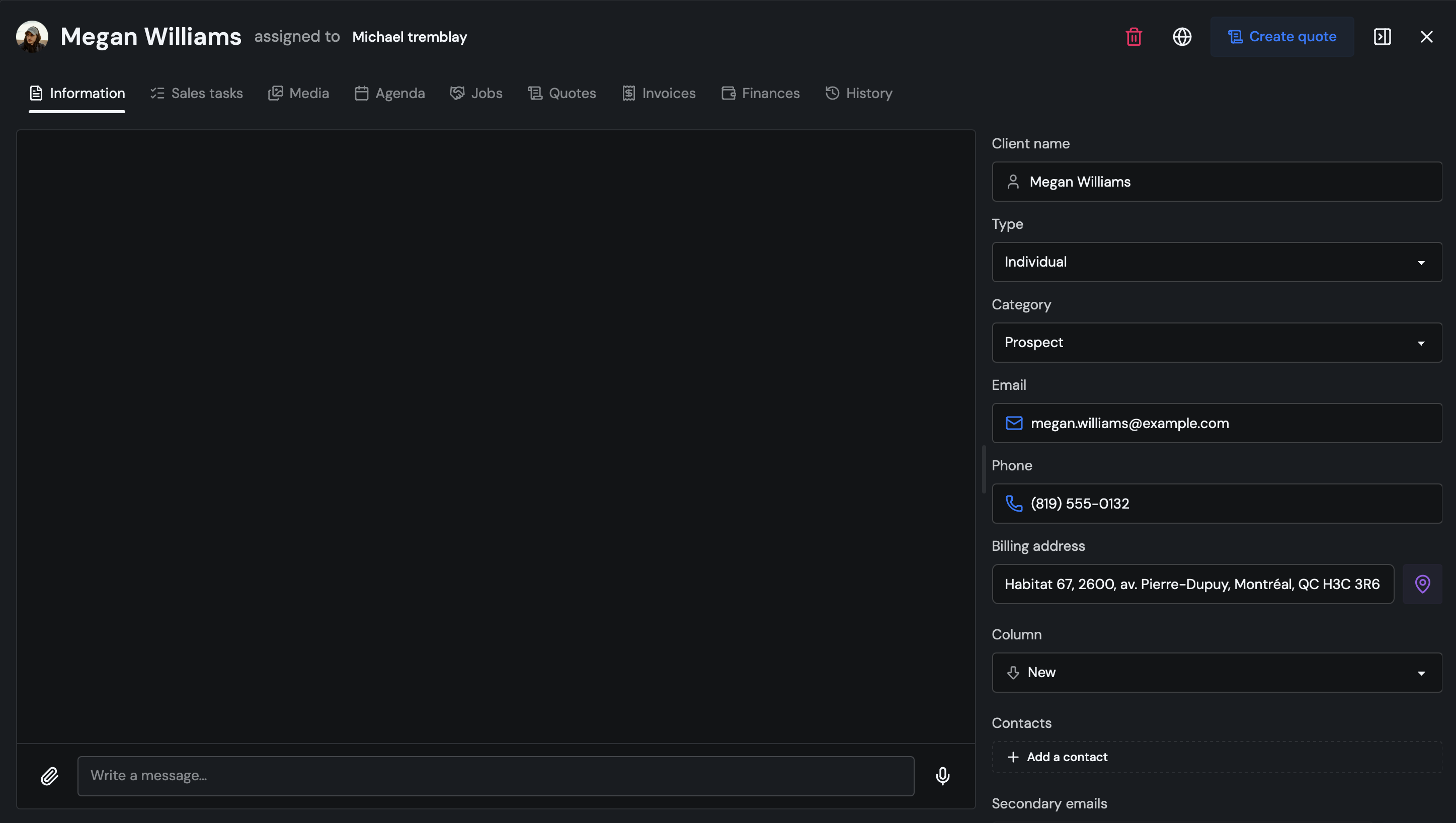
CRM stands for Customer Relationship Management. It is a tool that keeps everything about each customer in one place: contact info and job address, your conversations, estimates sent, accepted or declined, project photos and notes, and invoices and payments.
Instead of digging through your texts, your inbox, a spreadsheet and your memory, you open the customer's file and it is all there.
5 signs your business needs a CRM
1. You forget to follow up on estimates. A homeowner who has not answered has not necessarily said no. Often, they are just waiting to hear from you. And timing matters: a study published in the Harvard Business Review found that companies that responded to an online inquiry within an hour were nearly 7 times more likely to have a meaningful conversation with the prospect than those that waited longer.
2. Your information is all over the place. Measurements are in a notebook, photos are on your phone and the price is in a file on the office computer.
3. Your leads are slipping through the cracks. This is often the trigger. An exterior painting contractor who had just started running Facebook ads told us his old system had stopped showing him new requests:
"I don't see my website leads, I don't see my Facebook leads coming in. So I was still using the old spreadsheet. I'm starting to get lost."
4. You type the same information over and over. The customer's name and address go in once for the estimate, again for the invoice and again in the schedule. The owner of a service company described his week like this: "There's a lot of retyping. The guys fill out an invoice, fill out a timesheet. Then I'm the one chasing invoices and timesheets."
5. Only one person knows where each customer stands. If that person is out sick or on vacation, nobody can answer a customer who calls.
If two or more of these sound familiar, a CRM will likely save you time within the first few weeks.
General CRM vs. construction CRM: what is the difference?
The best-known CRMs were built for sales teams working in an office. They are great for tracking leads, but they usually stop once the contract is signed.
For a contractor, the sale is only the beginning. After the yes, you need to schedule crews, run the job, invoice and get paid. A CRM built for construction covers that whole process: estimates built from your own price lists and signed online, remote measuring, crew scheduling, a mobile app for the field, and invoices created straight from the estimate.
With a general CRM, those steps usually take other software, and you end up moving information from one tool to the next. That is where mistakes happen.
How to choose a CRM for your construction business
Before you pick one, ask the vendor these questions.
Will my crews actually use it? A tool that is too complicated ends up abandoned. Ask to see the mobile app your crews will be using.
Can I do my estimates and invoices in it? If not, you will keep juggling several tools.
Does it connect to my accounting? If your bookkeeper works in QuickBooks, make sure invoices sync over without retyping.
Who sets it up? Importing your customers, prices and templates takes time. Find out whether the company does it with you or leaves you on your own.
Can I reach a real person when I need help? When something gets stuck in the middle of the busy season, you want to talk to someone who understands your work.
How to move from spreadsheets and texts to a CRM
Switching is usually less painful than it looks. Start with your active customers, without trying to import ten years of history the first week. Put every new estimate in the CRM from day one: it is the fastest way to build the habit. Make one person in the office responsible for making sure everyone uses it during the first month.
And show the app to your crews. Once they see they no longer need to call the office to get an address or a detail, they adopt it on their own.
[PHOTO 3: screenshot of the PlanOps mobile app on the crew side (job address, notes, photos). Alt text: "Mobile app giving crews the job address, notes and photos"]
PlanOps: a CRM built for contractors
PlanOps was built by a contractor, not a software company. Today, more than 340 businesses use it to track their customers and everything that comes after.
Every customer has a complete file, with history, photos and documents. You build estimates from your own price lists, the homeowner e-signs them online and you get notified when they open them. You schedule your crews, who get everything in the mobile app. Invoices are created from the estimate and sync with QuickBooks. And Chloé, the built-in AI assistant, helps with estimates, invoices and customer follow-ups.
PlanOps is developed by our own in-house team. Every new customer is guided through onboarding: our team sets up your suppliers, price lists, logo, and estimate and invoice templates with you.
Frequently asked questions
Is a CRM worth it for a small business?
Yes, especially when the owner does everything. The less time you have, the more important it is not to lose estimates because nobody followed up.
What is the difference between a CRM and project management software?
A CRM manages the relationship with the customer, from the first request to the final payment. Project management software manages how the work gets done. For a contractor, the ideal is one tool that does both, so you never have to move information between systems.
Is a free CRM good enough?
A free CRM can help you keep a customer list. But it usually does not handle estimates, scheduling or invoicing. You often end up paying for several separate tools.
Can I keep using QuickBooks?
Yes. Several construction CRMs, including PlanOps, sync invoices with QuickBooks. Your bookkeeper keeps working the same way.
Can my crews use it on their phones?
With a CRM built for construction, yes. It is actually a must: your crews should be able to check the job address, notes and photos without calling the office.